USB Type C and USB Signal Standards – Clarifying the Connection
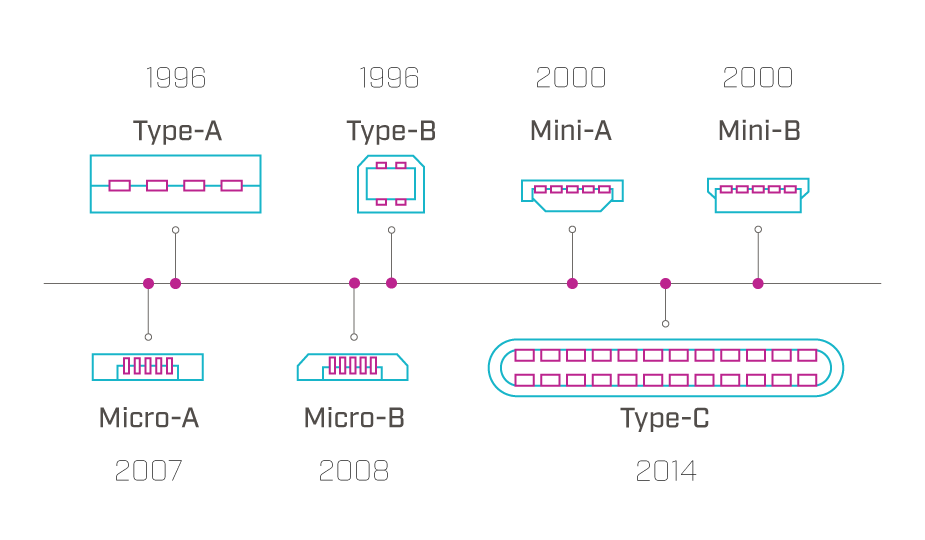
USB standards have existed for many years, evolving and improving as technology needs and capabilities have increased. The USB Implementers Forum (USB-IF) has continually released specifications for the USB Type C connector and USB signal standards. In the table below one can see the progression of the USB signal standards beginning with USB 1.0 up to USB 3.2 and now USB4, including the various modes and data transfer rates introduced with each. The USB Type C connector also includes many feature enhancements over previous connector standards. Understanding these improvements will allow engineers to utilize this connector and the various signal specifications in the proper manner in order to boost performance in their design. If you're interested in shopping our selection of USB C connectors, you can do so here.
| Release Name | Release Date | Brand Name | Gross Data Rate | |
|---|---|---|---|---|
| USB 1.0 | January 1996 | Low Speed | 1.5 Mbit/s (187.5 KB/s) | |
| Full Speed | 12 Mbit/s (1.5 MB/s) | |||
| USB 1.1 | January 1998 | Fixed common issues of USB 1.0. Data rates remained the same. | ||
| USB 2.0 | April 2000 | High Speed, also Hi-Speed | 480 Mbit/s (60 MB/s) | |
| USB 3.2 Gen 1x1* | August 2017 | USB 5 Gbps | 5 Gbit/s (625 MB/s) | |
| USB 3.2 Gen 2x1** | August 2017 | USB 10 Gbps | 10 Gbit/s (1.25 GB/s) | |
| USB 3.2 Gen 2x2 | August 2017 | USB 20 Gbps | 20 Gbit/s (2.5 GB/s) | |
| USB4 Gen 2x2 | August 2019 | USB 20 Gbps | 20 Gbit/s (2.5 GB/s) | |
| USB4 Gen 3x2 | August 2019 | USB 40 Gbps | 40 Gbit/s (5 GB/s) | |
| USB4 Version 2 | October 2022 | USB 80 Gbps | 80 Gbit/s (10 GB/s) | |
| *Previously known as USB 3.1 Gen 1 and USB 3.0 | ||||
| **Previously known as USB 3.1 Gen 2 | ||||
Misconceptions Between USB Type C and USB 3.2
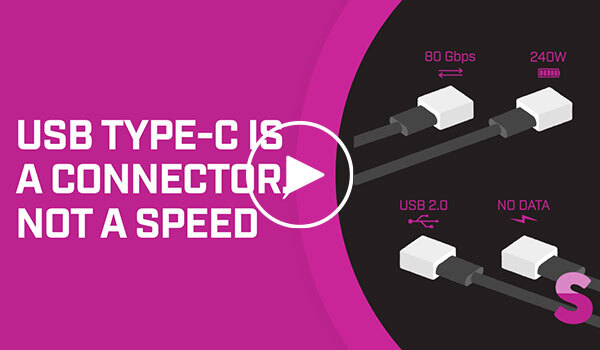
Confusion often arises when discussing the relationship between USB Type C connectors and say for example USB 3.2 Gen 2x1 (previously USB 3.1 Gen 2). The USB Type C standard defines only the physical connector while the USB 3.2 standard applies only to the electrical signal. While most system designers will choose to communicate USB 3.2 signals through USB Type C connectors and cables, it is possible to transmit and receive USB 3.2 Gen 1x1, Gen 2x1, Gen 2x2, and USB4 compliant signals through a connector which does not conform to the USB Type C specification. A product designer can implement such a configuration using the USB 3.2 signal standard and their own proprietary connectors, if they want to keep the system isolated from other systems or to ensure that proprietary hardware is being used. Learn more in our video USB Type-C Is a Connector, Not a Speed.
In a similar fashion a USB Type C connector can be used to transmit and receive signals not conforming to USB signal standards. This implementation benefits from the wide availability and inexpensive cost of USB Type C connectors and cables, but puts the user at risk of connecting the non-conforming proprietary system to a system conforming to the USB 3.2 standard and damaging one or both of the systems.
It should be noted that USB standards also allow for transmitting legacy (pre-USB 3.2 Gen 2x2) USB signaling configurations using USB Type C connectors and cables. In these configurations no damage will result to the systems, but proper power and data transfer will occur upon the systems negotiating common communications and power configurations.
USB Type C Advantages
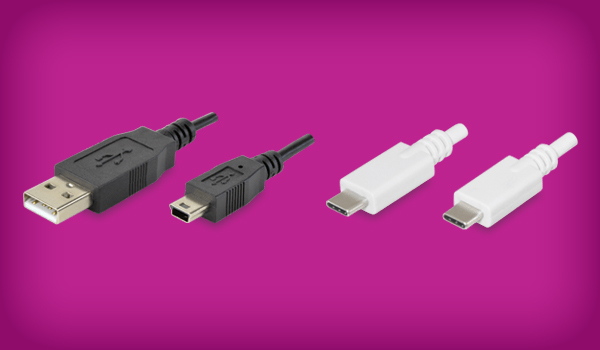
The USB Type C connector has been designed to provide a number of advantages when compared to previous generations. Enhancements include a smaller package size, more conductors, higher voltage ratings, higher current ratings and greater signal bandwidths. The reduced size of USB Type C plugs and receptacles allows for use in a wider range of applications where space would have been an issue. In addition the plugs and receptacles can be connected either right-side up or up-side down, allowing for faster and easier insertion of plugs into receptacles.
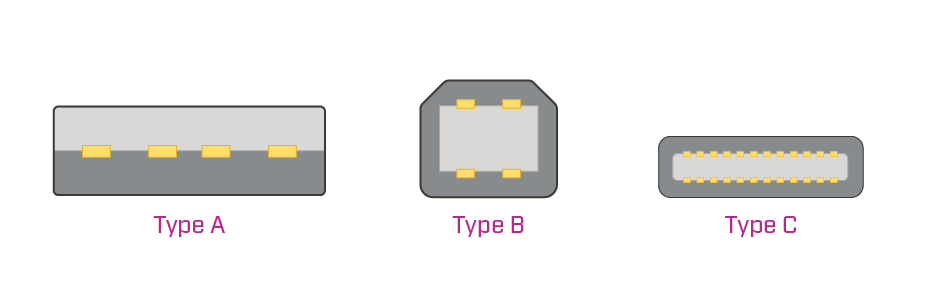
Whereas USB Type A and Type B connectors each specify four or five conductors, USB Type C connectors employ 24 contacts and carry an increased durability rating up to 10,000 insertion and extraction cycles, compared to 1,500 mating cycles for standard USB Type A connectors. There are four power and ground contacts each in a USB Type C connector making it able to aggregately carry 5 A of current. In addition to the higher current rating, USB Type C connectors are also rated up to 48 V between the power and ground pins, allowing for 240 W of power transfer, as defined in the The USB PD 3.1 standard. USB Power Delivery (PD) specifications provide information regarding the implementation of the higher levels of power delivery available through USB Type C connectors. Just as USB Type C and USB 3.2 are two separately defined standards, it is important to note that USB Type C and USB PD exhibit the same relationship. Although a USB Type C connector is designed to support the USB PD standard, the device’s host controller and cable must also be configured to support the standard.
| Specification | Maximum Power | Maximum Voltage | Maximum Current |
|---|---|---|---|
| USB 2.0 | 2.5 W | 5 V | 500 mA |
| USB 3.0 and 3.1 | 4.5 W | 5 V | 900 mA |
| USB BC 1.2 | 7.5 W | 5 V | 1.5 A |
| USB Type-C 1.2 | 15 W | 5 V | 3 A |
| USB PD 3.0 | 100 W | 5/9/15/20 V | 5 A |
| USB PD 3.1 | 240 W | 28/36/48 V | 5 A |
Lastly, USB Type C connectors support 10 Gbps of data transfer through each of two data pin pairs. This bandwidth support allows for 20 Gbps data transfer rates when both data pin pairs are used as specified in the USB 3.2 2x2 standard. As announced by USB-IF in August 2019 with the USB4 standard, data transfer up to 80 Gbps is possible with up to 40 Gbps transfer rates per data pin pair.
Optimizing for USB 3.2
As stated previously, the USB 3.2 and USB4 specifications define a set of data and power signals and the characteristics of those signals. However, it does not address the cables to be used in conjunction with the signals. It should also be noted that the cables used to transport the USB 3.2 and USB4 signals will need to have current, voltage and signal integrity characteristics sufficient to handle and not degrade them. For example, while the USB 3.2 Gen 2x2 (previously USB 3.1 Gen 2) specification supports 20 Gbps communication rates and USB Type C connectors are designed for signal integrity at and beyond those speeds, the length of the cable and quality of the cable construction can both be a factor in limiting communication bandwidth.
USB Type C Mounting Configurations
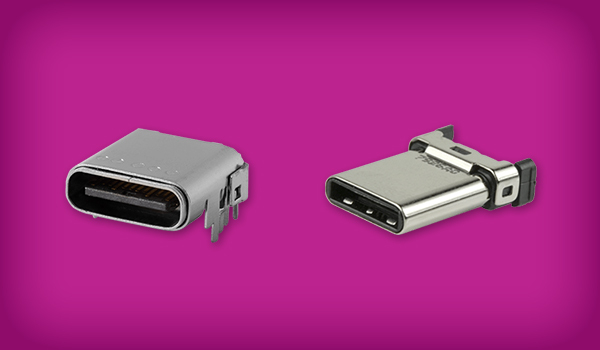
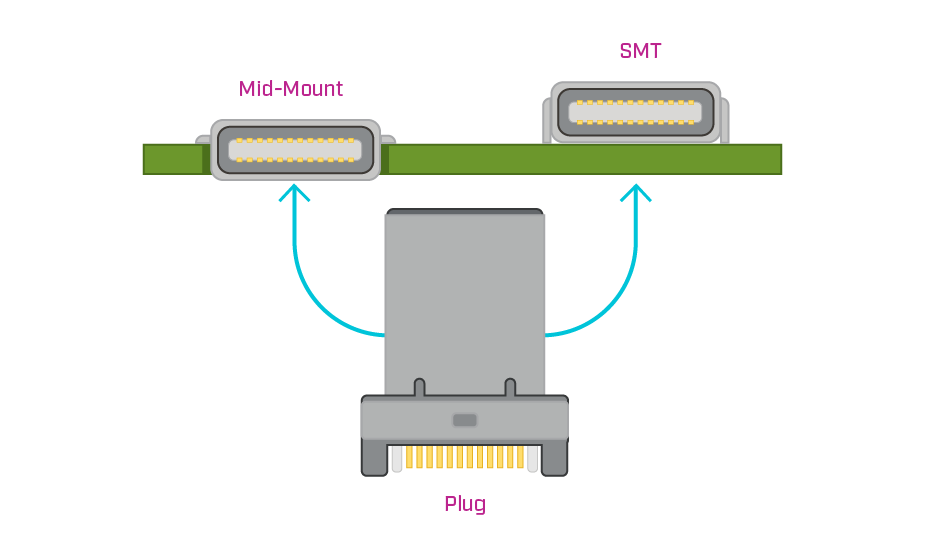
Two versions of USB Type C receptacles are available enabling engineers the choice of mounting the connector on the top of the PCB (SMT) or in a routed-out space in the PCB (mid-mount). The SMT version of the receptacle requires the height of the PCB and the connector in the product design. The mid-mount version of the receptacle allows for a more compact design but eliminates the possibility of placing PCB traces under the connector.
In Conclusion
USB standards have been widely adopted for signals, connectors and cables. The specifications for USB signal standards and the USB Type C connector enables standardized high speed and high power signal transfer. Conforming USB Type C plugs and receptacles from Same Sky are designed to support USB 2.0, USB 3.2 Gen 2, USB 3.2 Gen 2x2, or USB4 standards with data transfer speeds up to 40 Gbps. Same Sky also offers a range of USB cables with Type C plugs as well as power-only USB Type C receptacles where the data transfer pins have been removed, providing a cost-effective solution for designs where charging or power is the sole function.
 Tags:
Tags:
Additional Resources